What is Awin MasterTag
The Awin MasterTag is a JavaScript container tag that enables Awin’s tracking solution. It’s designed to be added unconditionally to every page on your site, including the order confirmation page, to ensure accurate tracking of your affiliate activity.
Key features and benefits of the Awin MasterTag
Real-time, cross-device tracking: MasterTag tracks sales and actions across all devices, ensuring you have a full picture of customer behavior and accurate attribution, even when users switch between devices.
Easy integration with tech partners: MasterTag enables seamless integration with Awin’s tech partners and plugins (e.g., RevLifter, Intent.ly, Soreto), allowing you to add dynamic features like retargeting and overlays to your site without extra technical setup.
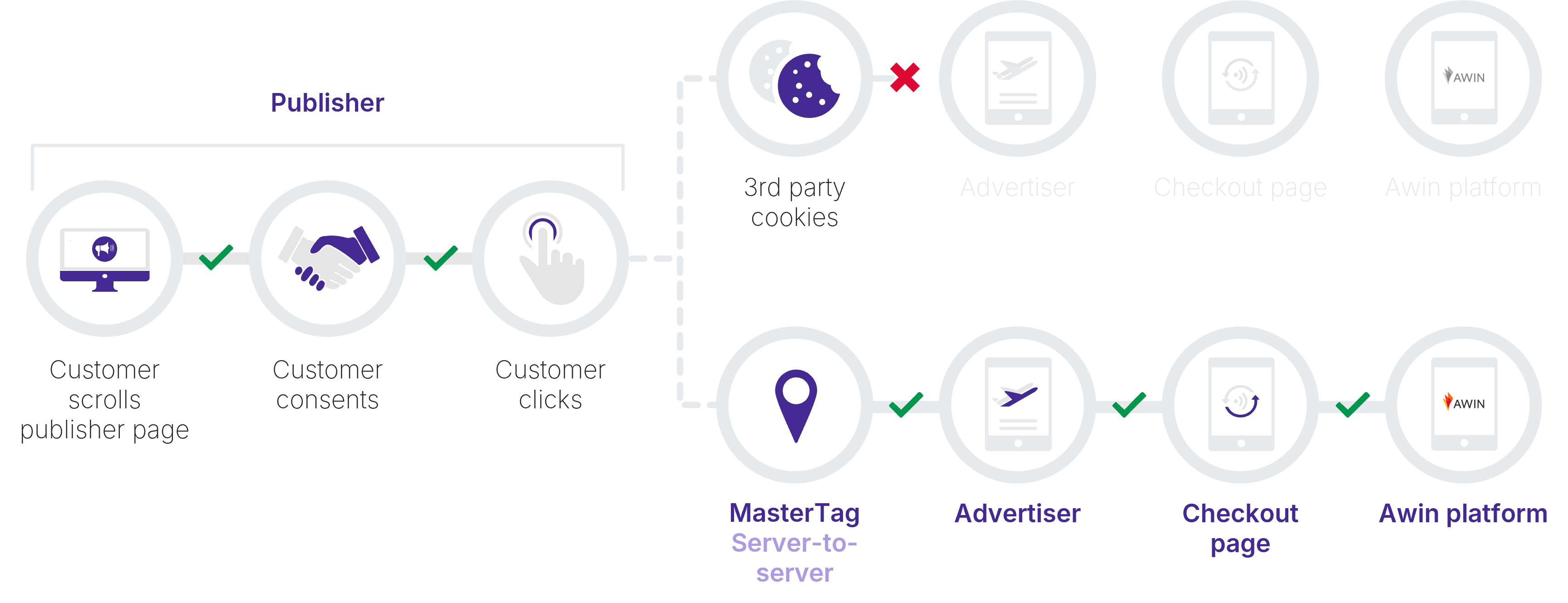
ITP-compliant first-party cookie tracking: As privacy regulations like Apple’s ITP and Firefox’s Enhanced Tracking Protection (ETP) block third-party cookies, MasterTag ensures that tracking continues to work properly using first-party cookies, which are compliant with these privacy measures.
Hybrid tracking for enhanced accuracy: To ensure robust tracking and avoid issues caused by browser restrictions, Awin recommends using hybrid tracking (combining server-to-server tracking with the MasterTag for reliable tracking).
Improved attribution reporting: MasterTag provides detailed insights into your affiliate traffic, helping you optimize your campaigns and correctly attribute sales to the right channels and partners.
Simple, one-time installation: MasterTag is easy to implement and requires minimal technical resources. Once set up, it automatically manages tracking across your site, reducing the need for further development.
Continuous updates and technical optimization: We continuously update and optimize the MasterTag to ensure it works with evolving market and privacy changes, without requiring you to make technical adjustments so you stay competitive.
How to implement the Awin MasterTag
Install the MasterTag: Add it unconditionally to every page, excluding payment pages. Ensure it is not placed within iframes.
Check the
awcparameter: Make sure theawcparameter is on the landing page.Verify tracking paths: Ensure any tracking redirects or paths also use first-party cookies.
Refer to our technical guide for detailed, step-by-step instructions.
For a future-proof tracking setup, we highly recommend integrating server-to-server tracking alongside the MasterTag for enhanced data accuracy.
FAQ
What is Chrome Attribution Reporting API?
It’s an automatic enhancement to the MasterTag which improves the accuracy and resilience of transaction tracking in Chrome. As Chrome continues to adjust privacy and cookie policies, this API reduces the dependence on third-party cookies, making your tracking setup more adaptable to industry shifts.
There’s no action required to benefit from this, as the MasterTag will automatically adapt to API improvements.