What is a co-branded landing page
Advertisers create co-branded landing pages to help convert traffic, boost customer trust and improve partner relationships. A good landing page will link straight to an advanced point in the customer journey, either directly to the relevant product or to somewhere where it’s easy for the customer to find what they’re looking for.
A co-branded landing page for key partners is one step better, as this can increase customer confidence - they will know there is a relationship between the site they have come from and the advertiser.
The use of these landing pages also helps nurture beneficial and positive partnerships between advertisers and partners. Offering longer-lasting results, a stronger relationship, and partners becoming brand ambassadors for an advertiser.
Tips for creating a co-branded page
When creating a co-branded landing page, it’s important to consider the following:
Remove phone numbers, or other forms of leakage, to eliminate the risk of conversions taking place anywhere other than the partner’s landing page.
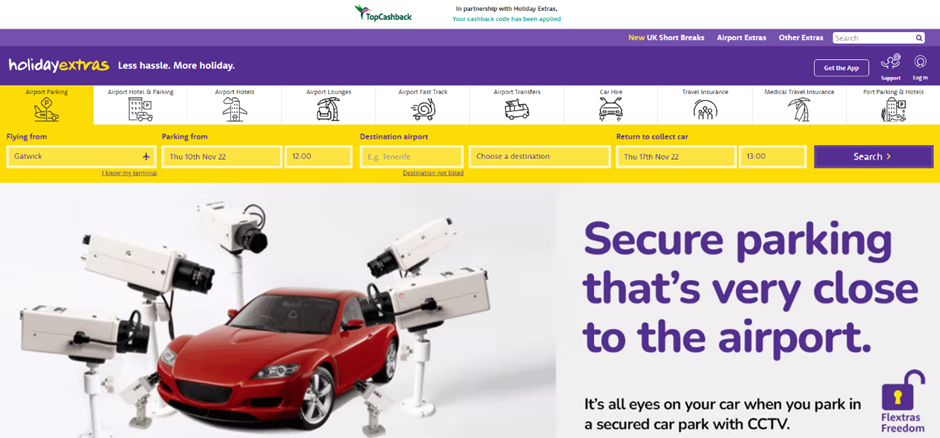
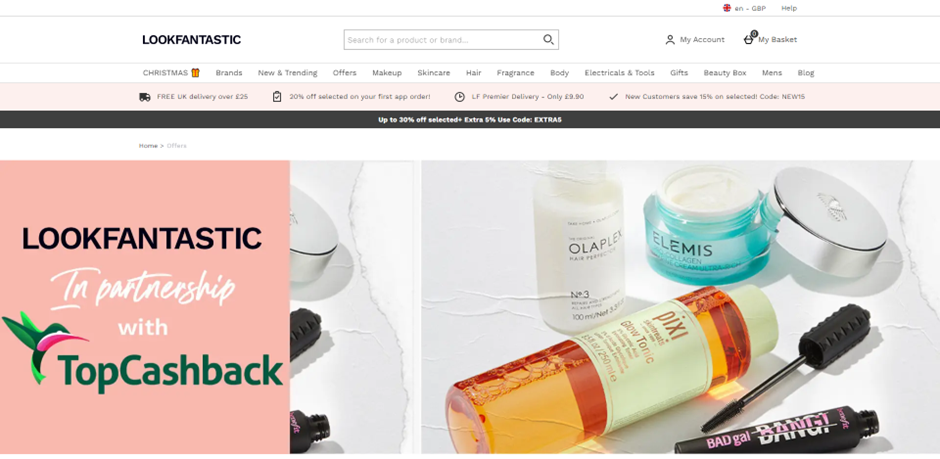
Include both yours and the partner’s branding to increase user trust.
Decide if the landing page is to be long term or campaign specific. Campaign specific landing pages can be useful for exclusively agreed offers for a set time-period.
How to add a co-branded landing page URL to a specific partner on Awin
Once the co-branded landing page has been created, you can change the partner’s tracking by following these steps:
In the platform navigate to Publishers > Manage > Publisher Management.
Search for the partner on the left-hand side of the Publisher Management page, then click the small cog on the right-hand side of the partner’s row.
Change the Landing Page drop down option from Default to Custom, and enter the co-branded landing page URL in the text field.
Press Save.
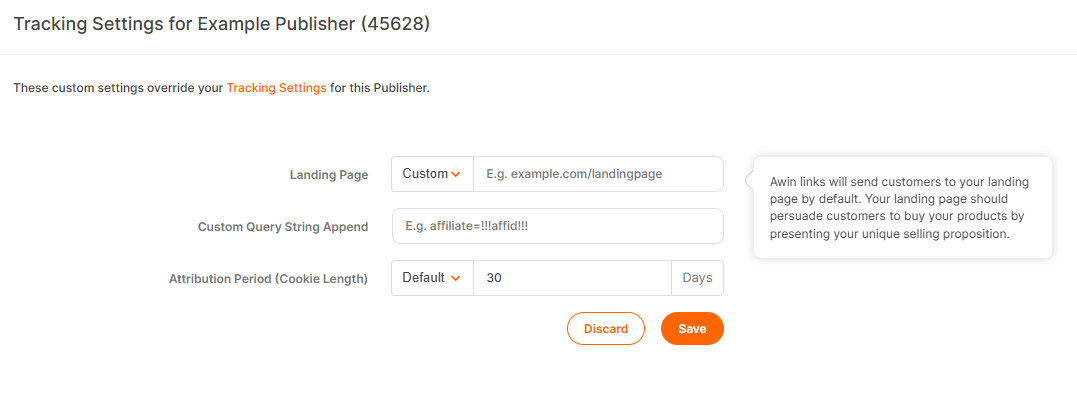
The partner’s Awin tracking links will now direct traffic to their co-branded landing page, instead of the default landing page as set up on the program.
Note
By changing the landing page, all tracking will be overridden by the new URL added for that specific partner once the save button has been pressed. To remove this, simply remove the URL and press Save.
Examples of co-branded landing pages
Here are some successful examples of co-branded pages: