Platform availability
This article refers to functionality currently available only on Awin Classic.
This article covers how you can make use of exporting custom parameter data for Conversion Analytics.
Plan availability
Conversion Analytics and custom parameters options are available only for Awin Advanced customers.
With custom parameters in place, it’s possible to export this data from the platform to analyze within Excel. This is a good way to visualize Conversion Analytics and get insights to make more informed decisions for your business objectives.
How to export custom parameters:
Navigate to Reports > Performance > Transactions and generate the report.
Export the report into Excel.
There is a column named
custom_parameters. This will have the custom parameter values for each transaction.All of the parameters will be listed in one cell. They can be split out by selecting the column then clicking on Data > Text to Columns. You can select to delimit the columns by ‘,’ which will split out each of the parameters into a new cell.
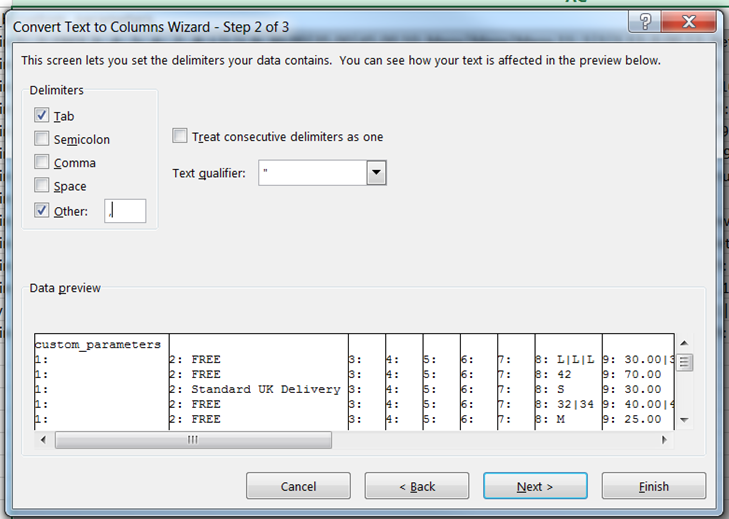
It will then be possible to include each parameter into a pivot table to analyze the data.